




About Pokemon: Too Many Types
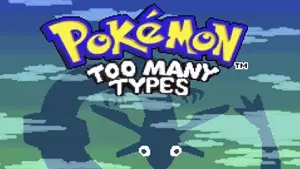
Pokemon: Too Many Types is not your usual Pokémon adventure. This clever, fan-made ROM hack transforms the classic type system we all know — Fire, Water, Grass — into more than 30 brand-new, quirky types, like Food, Plastic, Sound, and even Cosmic. Set in the exciting and humor-filled Typia region, every battle throws surprises at you, challenging what you thought you knew about strategy.
The game takes every Pokémon from Generations 1 to 3 and reimagines their typings in creative, often laugh-out-loud ways. Type matchups follow completely unique rules, creating unpredictable battles that'll keep you on your toes. Add in custom maps, redesigned sprites, and a story packed with clever surprises, and you've got a journey that's both fresh and full of personality — perfect for veteran Pokémon fans and curious newcomers alike!
How To Play
Dive into a classic Pokémon-style adventure, complete with gyms, trainers, and events, but with one amazing twist: the entire type system is brand-new! In Pokemon: Too Many Types, mastering the game means forgetting traditional type matchups and embracing experimental strategies.
Battles are all about understanding the quirky logic of the new types. For example, you’ll discover how strange categories interact — such as an unexpected type countering another in ways you wouldn’t anticipate. Trial and error becomes your greatest tool as you catch, train, and evolve Pokémon to build a uniquely balanced team.
You’ll adventure through creative maps, interact with humorous characters, and battle trainers who often embrace the chaos of the new system. Standard controls remain familiar, but success in this game depends on curiosity, adaptability, and an appreciation for absurdity. If you’re a fan of imaginative twists on familiar gameplay, this lighthearted take on Pokémon will absolutely win you over!
Controls
| Action | Gamepad | Keyboard |
|---|---|---|
| A | Button 1 | Z |
| B | Button 2 | X |
| L | Left Top Shoulder | Q |
| R | Right Top Shoulder | E |
| Select | Select | V |
| Start | Start | Enter |
| Up | D-Pad Up | ↑ Up Arrow |
| Down | D-Pad Down | ↓ Down Arrow |
| Left | D-Pad Left | ← Left Arrow |
| Right | D-Pad Right | → Right Arrow |